I've recently upgraded the firmware in my iCON 7.2, which broke usb_modeswitch and PPP. Apparently it's not very efficient to have transfer speeds of up to 7.2Mb/s on a serial link, so the device manufacturer (Option) decided that a new kind of interface is needed. This new interface is a combination of a serial port for control, and a network interface for data transfer.
This also meant I had to install a new driver ("hso"), and while I was looking for that, I also found a new, better tool to switch the iCON from "fake CD-ROM" mode into UMTS modem mode. This tool (called rezero) doesn't seem to have the race conditions that the old tool had.
I've uploaded a package of the rezero utility to my PPA. It includes a udev script, so the tool gets run automatically as soon as you plug in an Option device that thinks it's a CD-ROM drive. More information about the PPA can be found on my PPA page on Launchpad.
Of course, it would be great if this could be added to Ubuntu itself (along with the hso driver, I'll file a bug for that), but I don't have the time to figure out how to do that at the moment :)
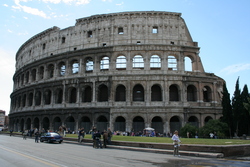
I've just returned home after spending a week in Prague, where I went to the UDS Intrepid. As usual, it was great! As I'm too tired to write a lot about it, I'll try to sum it up in a pictures.
On Monday the week was opened by Jono, who explained how this UDS would work. As always, it was a bit different from the previous ones, to improve and perfect the UDS experience.
During the day we discussed improvements for the next version of Ubuntu (the Intrepid Ibex) and the community processes, in evenings we had super-cheap dinners at all kinds of restaurants. There even was music afterwards!
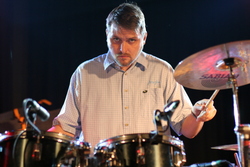
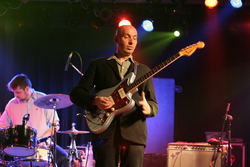
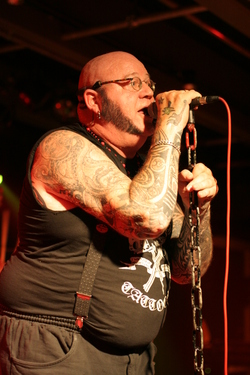
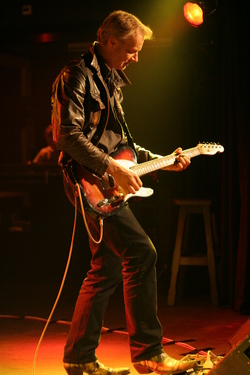
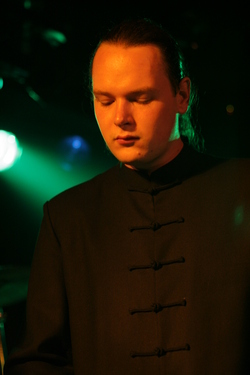
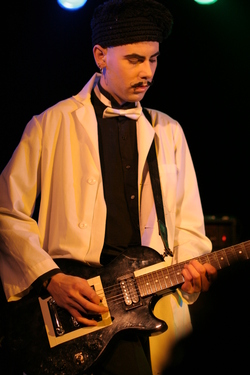
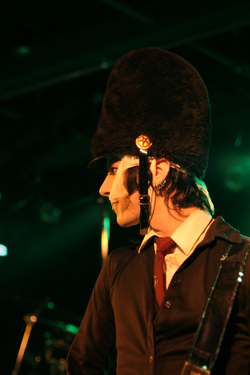
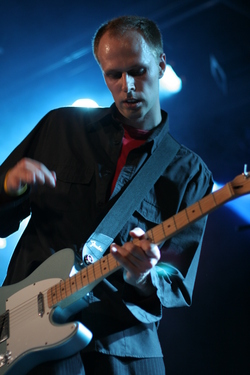
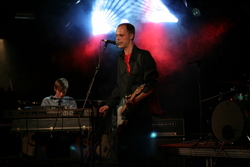
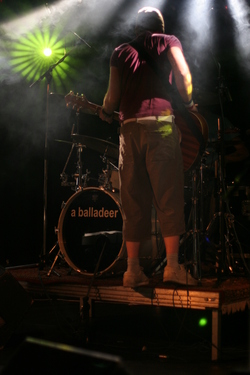
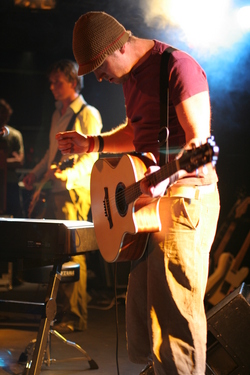
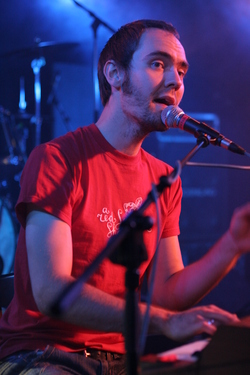
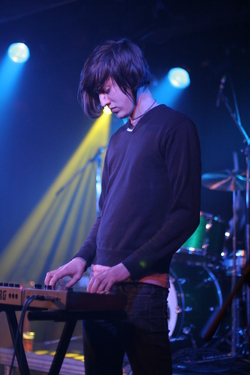
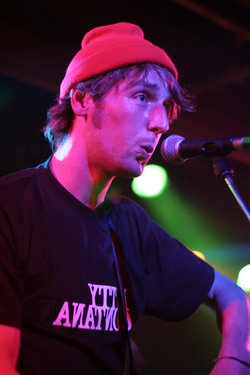
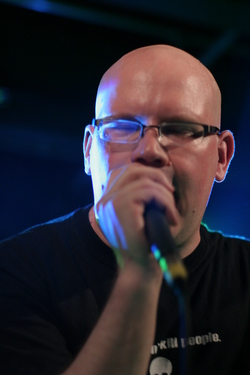
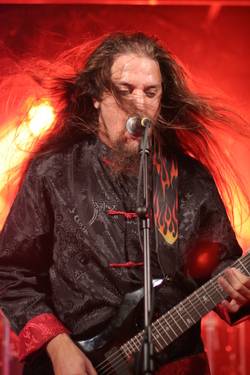
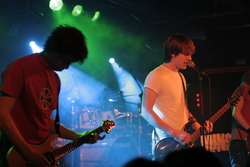
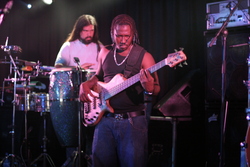
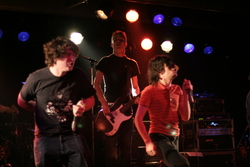
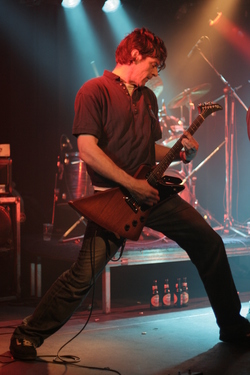
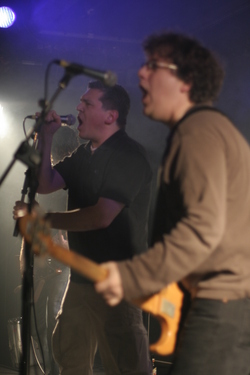
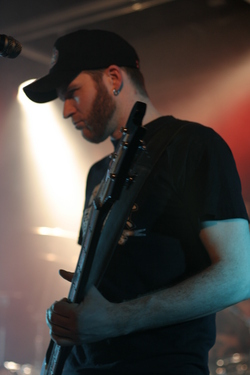
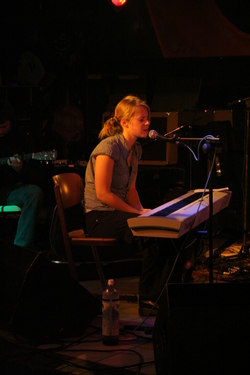
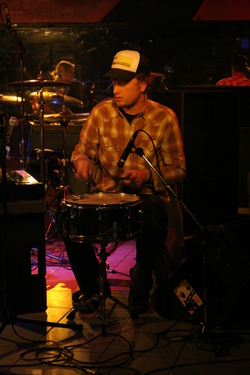
The week ended with a party at the "XT3" club, where the Canonical band played a few songs before DJ Holbach took over.
Video of the band playing Whiskey in the Jar (about 52MiB)
More pictures: Day 1, Day 2, Day 4, Day 5, Day 6 (sightseeing in Prague)
After lots of trying and giving up, I've finally configured an asterisk server on my Ubuntu server. I got it to accept connections from my SIP client, and to connect to XS4ALL's "Bellen" SIP service.
First, the easy bit: installing asterisk. You can do this with the following command: apt-get install asterisk (note: as Joe Terranova points out, you should pay attention to the security side of this. Installing on a machine inside your LAN isn't too much of a risk, but if you install it on a machine with a public IP address, make sure you have all security fixes installed, and set up iptables.)
Then you have to configure the beast. This can look hard, because there are almost 80 config files in /etc/asterisk. Furtunately, you can ignore most of them for now.
First, add a SIP account to sip.conf. An entry for a SIP account look like this:
[connection_nickname] type=peer nat=yes ; Or "no", if your client has a public IP username=the_username secret=password123 canreinvite=no ; Ekiga needs this context=default
Once you've configured this, restart asterisk, and tell your favorite SIP client it to connect to your server using the username you just added. Then use it to call 1000, and you should get a test system.
Now you have a working SIP server with one client, you can add more clients… and there's the first problem: there's no way to make a call to the SIP clients. To make this possible, you have to add entries to the dialplan in extensions.conf.
Find the [default] section, and for every SIP client, add lines like these to the section. You may want to remove the include => demo line: it provides the "test" you called earlier.
exten => 2001,1,Dial(SIP/connection_nickname,30)
Give all your clients unique extensions (you can even use names!). Restart asterisk when you've added all extensions, and try calling other logged-in extensions. Congratulations! You now have a basic, working SIP PBX (without a connection to anywhere else, though).
The sections in extensions.conf are called contexts, and you can use them for access control. Every connection to/from the Asterisk server has a context, and can only call extensions in that context. You can use this to make sure that only some people can make expensive calls.
To connect to the "normal" phone system, you can use a SIP account. I have an account at XS4ALL, so I created a SIP account in their service centre. Then I added this to the [general] section in sip.conf (replace the xxxxxx bit with the phone number you got):
register => xxxxxxxxxx:[email protected]/xs4all-in
This makes asterisk register with the XS4ALL SIP server, with incoming calls going to extension "xs4all-in". All you have to do to accept these calls, is define the extension in extensions.conf:
[incoming]
exten => xs4all-in,1,Dial(SIP/2001) ; When there's an incoming call from the
; SIP provider, step 1 is: forward to
; SIP/2001
Note that it's in its own context, so it can't call your extensions (or other SIP accounts!) directly.
You probably also want to use this SIP account to call other people. For that, you'll need another change in both sip.conf and extensions.conf:
sip.conf: [xs4all] type=friend context=incoming nat=no username=xxxxxxxxxx fromuser=xxxxxxxxxx host=sip.xs4all.nl fromdomain=sip.xs4all.nl secret=password123 canreinvite=no dtmfmode=inband insecure=very ; Don't worry disallow=all allow=gsm allow=alaw allow=ulaw qualify=yes extensions.conf: [outgoing] exten =" _X.,1,Dial(SIP/xs4all/${EXTEN},60,r)
This adds an outgoing SIP line to Asterisk, and adds an extension for "all numbers with one or more digits 0-9", that calls that number on the outgoing SIP line. Make sure you include the "outgoing" context in the context your SIP client is in, so this extension is found when you dial a number.
Lots of information on configuring asterisk and related programs can be found at the VOIP Wiki.
I've recently tried to get XS4ALL Mobiel UMTS working a GlobeSurfer iCON 7.2 on Ubuntu. This isn't as easy as it should be, so I'm documenting how I did it here.
The device starts in disk mode, which autostarts and installs the driver on Windows. These drivers are useless to us (the option driver is available in the default Ubuntu kernel), and the device won't do serial things unless it's "switched" to serial mode.
To do this, you need to download usb_modeswitch, and compile it using the compile.sh command (the build-essential and libusb-dev packages are required for this).
Then edit usb_modeswitch.conf, comment the configuration variables that are active in the distributed config file, and uncomment the ones for the "Option GlobeSurfer Icon 7.2". After editing the file, copy it to /etc. Also copy the compiled binary (usb_modeswitch) to /usr/local/bin.
Now you need to set up the system so it will run the mode-switch tool automatically when you insert the UMTS device. You can do this by creating a custom udev rule. Create a file called 80-usb_modeswitch.rules in /etc/udev/rules.d with the following content:
SUBSYSTEM=="usb", SYSFS{idProduct}=="1000", SYSFS{idVendor}=="05c6", RUN+="/usr/local/bin/usb_modeswitch"
Note that you might have to undo most of this once usb_modeswitch has been packaged properly.
The PPP configuration tools are currently a bit buggy, so it's easier to just create your own chat scripts and ppp configuration files. This isn't very interesting, so I'll just list the filenames and their contents.
#! /bin/bash /usr/sbin/chat -V -f /etc/chatscripts/umts-pin || /usr/sbin/chat -V -f /etc/chatscripts/umts-nopin /usr/sbin/chat -v -f /etc/chatscripts/umts
Note that this file should be executable! Also note that the first script (umts-prep) sends the PIN to the modem. If this fails, the modem probably already has the PIN, so the dial script continues. If the PIN sending was in the same chat script as the dialing, it would be much harder to ignore the error.
/dev/ttyUSB0 460800 connect "/usr/local/bin/umts_chatscript" lock defaultroute modem crtscts usepeerdns noipdefault user xs4allusername password ""
Use the username from the letter XS4ALL sent you with your SIM, or it won't work.
ABORT BUSY ABORT ERROR ABORT 'NO CARRIER' REPORT CONNECT TIMEOUT 10 # Set your pin here "" "AT+CPIN=0000"
Don't forget to set your pin!
ABORT BUSY ABORT ERROR ABORT 'NO CARRIER' REPORT CONNECT TIMEOUT 10 # Set your pin here "" "ATZ"
Don't forget to set your pin!
ABORT BUSY ABORT 'NO CARRIER' ABORT ERROR REPORT CONNECT # Prefer UMTS, but switch back to GPRS if it's not available "" "AT_OPSYS=3,2" OK "AT+CGDCONT=1,\"ip\",\"umts.xs4all.nl\"" TIMEOUT 10 OK "ATD*99***1#" CONNECT \c
You can now connect using Network Manager, or manually using pon xs4all-umts on the command line. Network Manager currently has a bug: it doesn't detect that the network connection is established, so it won't tell the desktop environment that there's a network connection, so some programs might insist on being in "offline mode".
I haven't found a simple signal level monitoring application. This should either be incorporated into Network Manager, or maybe a small applet-like program is needed.
I think this should all work out of the box, or with minimal configuration. It's way too hard now.
In reactie op Johan: Zet IPv6 niet uit.
Hij beweert in zijn posting dat IPv6 uitzetten internetten sneller zou maken, maar dat is niet het geval. Als je geen IPv6-adres hebt, dan wordt het automatisch niet gebruikt!
De "traagheid" was het resultaat van een bug in libc6, die daardoor altijd om IPv6-adressen vroeg aan DNS-servers, ook als er geen IPv6-verbinding was. De meeste nameservers zeggen dan gewoon "Nee, sorry, geen IPv6-adres voor deze naam", maar soms zit er één tussen die gewoon stil blijft, zodat je moet wachten op een timeout (waarna gewoon het ouderwetse IPv4-adres wordt opgevraagd). Dit veroorzaakte soms lange wachttijden: de timeout voor DNS kan vrij lang zijn.
En ook al zat die bug er nog wél in, dan zou je er in Nederland weinig last van hebben, omdat in Nederland weinig of geen van die "stille" nameservers te vinden zijn.
When my train was at Amsterdam Zuid this morning, a passenger collapsed. Because nobody else really did anything useful (they all stared at him), I had to find the conductor and tell him what was going on, so he could keep the train in the station while we waited for the ambulance.
Apparently, people think you should just let unconscious people lie on the floor...
Ik beantwoord regelmatig vragen van Nederlandstalige Ubuntugebruikers op de Nederlandse Ubuntu-mailinglist. Omdat sommige vragen en problemen die regelmatig terugkomen voor mensen die het systeem al door en door kennen het "alweer"-gevoel oproepen, heb ik besloten om een paar van deze dingen op te schrijven, zodat we er makkelijk naar kunnen verwijzen.
Bereid je dus voor op deel twee van deze serie (je kunt mijn toetsenbordverhaal als deel één zien):
Buiten de "Linux-wereld" is het heel normaal om het internet op te gaan als je een stuk software zoekt om iets voor je te doen. Je gaat naar firefox.com voor een webbrowser, naar winamp.com voor een muziekspeler, en naar de site van de fabrikant van je computer om daar nieuwe drivers te halen.
Op een Ubuntu- of Debiansysteem kun je ook zo werken. Firefox haal je dan van firefox.com, als je OpenOffice.org nodig hebt ga je naar openoffice.org, etc.
Meestal is er op een Linux-systeem echter een makkelijkere en veiligere manier om aan software te komen: via de distributie zelf, in de vorm van "packages". Op een Ubuntu-systeem kun je op verschillende manieren aan packages komen:
Ten opzichte van software die je zelf van internet haalt, hebben packages verschillende voordelen. Packages worden namelijk nadat ze gedownload zijn gecontroleerd op echtheid: er wordt gekeken of het bestand ook echt het bestand is wat verwacht wordt. Dit wordt gedaan door middel van een digitale handtekening, zodat het zo goed als onmogelijk is om "valse" packages aan te bieden (mocht er een server gehackt worden, of een van de mirror-beheerders kwaad willen), zonder dat het opvalt.
Nog een voordeel van packages is dat je vanzelf een nieuwe versie krijgt als er een beveiligings-update is. Ook wordt het package tijdens een grote upgrade (zoals tussen versies, elk halfjaar) netjes meegenomen, zonder dat je zelf dingen opnieuw hoeft te compileren. Ze voorkomen dus extra werk.
Dus: gebruik zo mogelijk packages, en het liefst uit de originele/officiële softwarebronnen, dan zit je het veiligst.
Om de een of andere reden hebben bijna alle toetsenborden die aan computers in Nederland zitten de Amerikaanse layout. Dat is natuurlijk geen probleem, maar als je letters met accenten moet typen (bijvoorbeeld als je ideeën hebt, of maar één) moet je moeilijk doen.
De standaard toetsenbordinstelling in Ubuntu is Amerikaans-Engels. Opzich natuurlijk goed—het gemiddelde toetsenbord is tenslotte Amerikaans—maar Amerikanen hebben geen knoppen gemakkelijk letters met accenten in te typen, dus daar moet wat op gevonden worden.
Een oplossing is gebruik maken van de "Amerikaans-Engels Internationaal (met dode toetsen)"-indeling. Dit werkt over het algemeen vrij goed, maar die "dode toetsen" zorgen ervoor dat je een extra spatie moet intypen als je een aanhalingsteken wilt typen. Vaak is dat natuurlijk geen probleem, maar sommige mensen gebruiken veel aanhalingstekens (programmeurs, bijvoorbeeld), en dan vergeet je ze nogal snel.
Na een beetje rondzoeken heb ik een oplossing gevonden: het is mogelijk om meerdere toetsenbordindelingen tegelijk actief te hebben en met een speciale toets tussen die indelingen wisselen. Je kunt er dan dus voor zorgen dat je toetsenbord de Amerikaans-Engelse indeling gebruikt, die je met die toets tijdelijk omschakelt naar Amerikaans-Engels met dode toetsen (zodat je letters met accenten kunt typen).
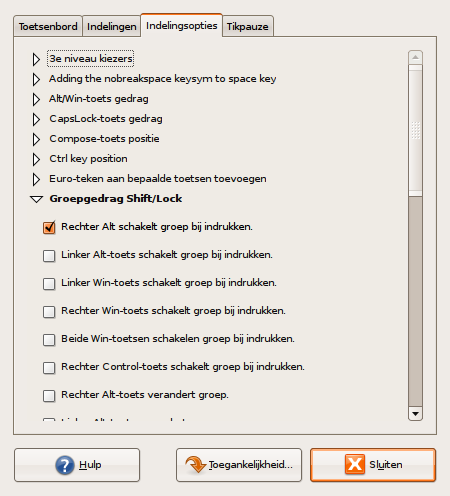
In de Gnome-toetsenbord-configuratie ziet dat er zo uit:
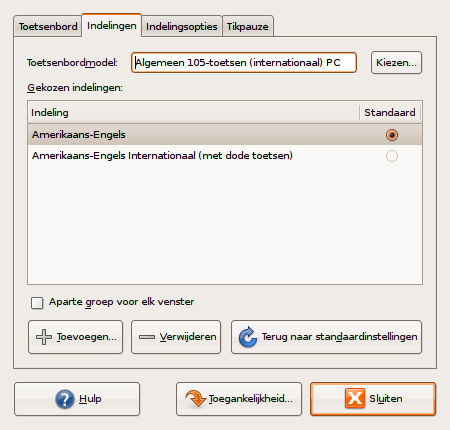
Er zijn twee mogelijkheden van schakelen. Bij sommige toetsen staat "schakelt groep bij indrukken". Dit betekent dat de toets net zo werkt als de "Shift"-toets: zo lang de toets ingedrukt is, zal de alternatieve layout actief zijn. De andere mogelijkheid is "verandert groep". De werking hiervan is vergelijkbaar met de "Lock" toetsen (zoals Caps Lock en Num Lock): de nieuwe layout is actief tot je hem (met dezelfde toets) weer uitzet.
Als je een andere toets kiest dan "Rechter Alt", dan kun je ook met die toets + Rechter Alt + 5 een euroteken intypen. Scheelt weer kopiëren uit de tekentabel :).

I've decided to combine exercise with shiny new toys: I bought a new bicycle (a Batavus Crescendo) and a GPS (Garmin eTrex Venture Cx), and started cycling through the polders.
So now I have a list of tracklogs, and I'm in the process of upgrading bits of my website to display geographic positions.
Last week, I started looking for a CalDAV server that suits my needs (I need one that does LDAP authentication), and I couldn't find one. The Apple Calendar Server claims to be able to use LDAP, but only through something calles "Open Directory", which only gets built on Darwin platforms, and RSCDS is PHP and wants to use its own user store on top of any authentication I do..
As I don't know enough about the Darwin Calendar Server internals, and I won't touch PHP, I decided to start writing my own WebDAV server (which I'll make into a CalDAV server soon), in perl.
The code is currently still a bit rough, a few mandatory bits of RFC4918 haven't been implemented yet (the "If" header, for example), and a few things are untested (other conditional headers), but it's possible to put files on it using Nautilus, and litmus tests show the basic bits work.
You can get a copy of the current code using
bzr:
bzr get http://foodfight.org/download/dav-server/main
I'm off implementing a super-simple version of HTTP Basic authentication, so I can start working on ACL support (RFC3744), which is another prerequisite for implementing CalDAV (RFC4791)...
I walked into the local MediaMarkt today (almost accidentally, I was waiting for another store to open), and they had 2 Nintendo Wii consoles in stock, which seems to be a very rare event here in the Netherlands. So I went home with a Wii, and it's great.
If anyone wants my Wii number, just send me an email with yours :)
I've uploaded my first set of photos of UDS Sevilla, covering Sunday and the first bits of Monday.
I'll be flying to Sevilla tomorrow at 12:15, and I'll be landing at Sevilla at around 17:00.
And yes, I'm taking my photo and video cameras :)
I got the replacement for my slow, old 1U server this week. It has loads of disk space (about 960GB), 4GB of RAM, and a Core 2 Duo CPU with the Intel virtualisation extensions. So I installed Ubuntu 7.04 (server edition), and started playing around with kvm.
Ubuntu 7.04 has all the bits you need for virtualization available. Just load the kernel modules, install the 'kvm' package, and you can start installing your virtual machines. As the VNC server inside kvm still likes to crash at unexpected moments, and I wasn't going to forward my X display just to give kvm a place to show VGA output, I had to convince the Ubuntu installer to use the serial console. This isn't as easy as I had hoped it to be (the boot menu on the installation CD requires using the 'normal' console—something I was trying to avoid).
After looking around for a while, I found the Ubuntu network installation files. These contain a special 'serial console' version, which meant I could finally install the guests using PXE. I now have two virtual machines running Ubuntu 6.06.1 on my Ubuntu 7.04 installation, and I still have room for more.
The only problem I have left is starting the kvm instances when the host system starts. I currently use screen and a few shell scripts and start them manually, but I'm thinking of creating an /etc/event.d entry. Does anyone have a better idea?
If your laptop seems to be running hot lately, and it's eating lots of battery power, you might have some old cpufreq settings for gnome-power-manager in gconf. You can reset them to their (new) default values by running the following commands:
gconftool-2 -u /apps/gnome-power-manager/cpufreq_ac_policy gconftool-2 -u /apps/gnome-power-manager/cpufreq_battery_policy
This brought the temperature of my laptop down, so the fan isn't running all day anymore, and as a side-effect, my battery doesn't give up after an hour anymore after an hour of doing almost nothing (I get the proper 2-3 hours out of it now).
I've updated my mass machine updater to skip commented lines (lines starting with #).
After setting up IPsec with pre-shared keys (in the previous post), I upgraded my setup to use X.509 certificates. This makes it possible to revoke keys (which makes it impossible to connect using those keys.. always nice if a machine gets compromised), and you'll get a key that's generated by something that knows how to generate secure keys (openssl), which is always better than a short 'human-generated' pre-shared key.
It's probably easiest to set up your own
CA for this. You can do this
by hand using the CA.pl file included with the openssl package,
but it's easier to install the tinyca package, and create the
certificates from there.
When you've generated a server key for every host you want to set up IPsec
on, and exported the public CA certificate and a
CRL, you should put the
following things in /etc/racoon/certs:
You should make sure the private key isn't encrypted. Racoon can't handle
that yet. The easiest way to do this is to export the certificate/key pair
from tinyca using the 'tar' option, then extract the files from the .tar
file into the /etc/racoon/certs directory, and run
openssl rsa -in my_key.pem -out my_key.pem on it, to remove
the password from the key.
After this, you need to let racoon be able to find your CRL. This is done by giving it a filename that's identical to the CA certificate hash. You can do this by running the following command:
# ln -s yourca.crl `openssl x509 -noout -hash -in yourca-cacert.pem`.r0
Now all that's left is actually
configuring
racoon itself. You need to point it at the certificates you just
installed, and have it verify the certificate the other side sends us. All
the linked config does is check if it's signed by the same CA, and the
signature hasn't been revoked. Check the racoon.conf manual
page for more info on the config file format, and the possibility of
stricter checks.
I've set up an IPsec tunnel between my network at home and my colocated server. This makes a few things easier: I can now connect to all my machines at home from my server without having to set up port forwarding first (using SSH, of course), and it'll always be encrypted, so if I wanted to, I could even use "unsafe" protocols over the internet. It also exercises the Padlock bits of my VIA C3 CPUs, which means there's almost no slowdown.
First, you have to determine a few things (the values I'll assume in this post are between parentheses):
When you've figured those bits out, install Racoon (it's in the 'racoon' package). Racoon is an IKE daemon. It will listen on port 500 (UDP) for incoming requests and negotiate the keys and encryption methods to use on the IPsec (encrypted) link.
Then it's time to configure racoon. I chose the "old-fashioned" way
(not using racoon-tool), because racoon-tool in 6.06LTS is
too
buggy
for me. If you do it like this, you have to edit two files:
/etc/racoon/racoon.conf and /etc/ipsec-tools.conf
On the server, you will need a configuration like these
racoon.conf
and
ipsec-tools.conf
files. You can read the racoon.conf and setkey
manual pages to understand what they're doing.
The configuration files on the client are almost the same, but in the IPs and
subnets are in reverse
(racoon.conf,
ipsec-tools.conf).
There's one other difference: the client configuration contains passive
off; while the server config contains passive on;. This
means that the server will never initiate the connection, so the client will
always have to do this first (sending one packet through the tunnel should be
enough). If you want the server to be able to initiate the connection as well,
you need to set passive to off there too.
After this, all you need to do is set up the shared key, and restart some
services. After that, everything should work. Shared keys are configured in
/etc/racoon/psk.txt,
in the format identifier key. In our case, the identifier
is the IP address (of the host we're connecting to), so on the server you
put 172.17.0.1 yourkeyhere in there, and on the client
you use 172.16.0.1 yourkeyhere.
Make sure both keys are identical, then execute the following commands, and
everything should start working the moment you try to send the first packet
over the network:
/etc/init.d/racoon stop; /etc/init.d/setkey restart; /etc/init.d/racoon start
Please note that you shouldn't use simple words or sentences as a key. The pre-shared key is (afaik) the weakest part in the security of this setup. I'll explain how to use X.509 certificates instead of pre-shared keys in a later post.
If you're also doing firewalling or some kind of NAT on one of the IPsec endpoints, make sure you allow traffic with protocol 'esp' to the remote endpoint.
In the coming weeks I'll extend this with X.509 certificates and a "Roadwarrior" setup, which will allow clients without a known IP address (like travelers with a laptops) to connect.
A new OV Chipkaart system has been introduced in Amsterdam this year, and it will be available in all of the Netherlands in a few years. The concept is generally OK: no more counting of strips on a strippenkaart or buying train tickets; just transfer some money to the card and go (there is the thing where the card issuer can track who went where, and when, but I trust that will be resolved in time).
But there's a usability problem with the gates: it's not immediately obvious where you should wave your card (especially if you're left-handed). The gates seem to have sensors on both sides, but the one on the left is actually the one on the right for the next gate. I've only used the system for the first time today, but I've already opened the wrong gate twice, requiring me to run around to the right gate. Luckily it wasn't too busy..
A few days ago, I tried restoring my laptop to its original factory state by running the recovery CDs that it came shipped with. This mostly worked fine, but after the recovery Windows wouldn't boot properly, and the laptop would freeze with only the word GRUB on its screen.
A few people are going to say "Well, install Ubuntu then", but that's not the point here. The point is restoring the system properly, so it can boot Windows again. I agree that this is actually a bug in the recovery software, but the same thing happens when you delete your Linux partitions and re-grow your Windows partition (which is what some people want, after trying a distribution for a while).
First, you have to get the system to boot Windows. To do this, you need a
bootable CD image with GRUB on it. It can be a tiny CD image, with only
GRUB on it (probably the
smallest CD you'll ever burn :))
You can create one like this:
$ mkdir -p iso/boot/grub $ cp /usr/lib/grub/i386-pc/stage2_eltorito iso/boot/grub $ mkisofs -R -b boot/grub/stage2_eltorito -no-emul-boot -boot-load-size 4 -boot-info-table -o grub.iso iso
When you boot that CD, GRUB will start up and give you its shell. From this shell you can start Windows like this (change '(hd0,0)' to something else if your Windows installation isn't on /dev/hda1, see the GRUB manual for more on that):
> root (hd0,0) > chainloader +1 > boot
Windows should now start. It might ask you to complete some steps of the OEM installation (entering your time zone and username, for example), and then reboot. Just re-enter the GRUB stuff to re-start Windows.
Once Windows is done starting, you have to find the I386
installation directory, either on the installation CD, or on C:\I386 as it
was on my laptop, and
install
the Recovery Console by running C:\I386\WINNT32.EXE
/cmdcons.
After doing this, you should reboot the system again (using the GRUB trick) and choose the Recovery Console option from the menu that appears. You will get a very limited shell, where you can type 'fixmbr' to fix the MBR on your boot drive, clearing the GRUB bit and allowing you to start the sytem. To do so, remove the GRUB CD from your drive, and type EXIT at the console.
You should now have a properly booting Windows system, without a hanging piece of GRUB.
I maintain a few servers for people, and every time a security upgrade comes
out, I have to ssh to each of them, apt-get update; apt-get
dist-upgrade and wait. So I wrote a
small script to
automate this.
It requires a directory named log in your home directory (to write the logs to), and a file called upgrade-hosts.conf in a directory called etc, also in your homedir. It also depends on a private RSA-key in ~/.ssh/id_rsa.
Running the script will start an ssh-agent, and ask you for the passphrase of your RSA key once. Then it will ssh to all machines listed in the config file, and execute a command (some apt-get stuff) to upgrade the machine. Everything gets logged in files in the ~/log directory.
The config file should look something like this:
hostname1 some comment hostname2 some other comment
I run this blog on the subversion-version of pyblosxom. This usually works great, and code keeps working.. but a few days ago it didn't. After looking at the problem for a while I figured it out: subversion neglected to mention that there were conflicts during the latest update. Or it did mention it.. just not in an obvious way.
It also modifies your original files and replaces them with a some patchwork (full of "<<<") of the conflicting revisions. Which breaks stuff.
I guess using bzr spoiled me...
A few weeks ago I finally finished my first "real" application using the Catalyst framework: my brother's trumpet tabs site.
Because I was learning how to do things the best way, it now has mixed URL styles (one in the tab search section, one in the forums), but it works quite nicely. It even uses XMLHTTPRequest for retrieving forum posts when quoting!
I still keep finding small things to fix (mostly XML strictness or missing features that were present in the old backend) all the time though.. time to teach him how Catalyst works :)
Because my sister and a friend wanted to blog in Dutch, I've written locale handling for pyblosxom.
It's disabled by default, but once it's enabled, "date-style" URL's (http://your.blog/2006/May) will only work in the set locale (http://your.blog/2006/mei if your locale is Dutch, for example). It takes care not to break "standard" time/date formats (W3C, RFC2822), too. Most plugins I've tried also work with it out of the box.
If a plugin doesn't work, please report it to me, so I can send the author a patch. Usually it's an easy fix (don't use static names for months, etc.).
Today I arrived at Schiphol to catch a train to work, as I do everyday. But somehow things were different today. The entire platform was full of people, as if the previous train hadn't shown up, and as soon as the train on another platform left, everyone went completely silent.
Usually you hear a few people talking (on the phone or in person), coughing, or maybe an announcement, but not today. The only sound I could hear was that of the escalator.
Until the train arrived…
Yesterday, I was taking pictures at Shape of Sin in Het Kasteel, like I often do when there are bands playing. But it didn't really go as planned..
After the second band finished playing, three guys in uniforms, with "S.S. Totenkopf" pins, "Thor's hammer" pendants, etc. came at me and started taking pictures of me with their mobile phones. When I asked them to stop, they became angry and started threatening me and they seemed to want a fight. Then they demanded that I removed all pictures of them from my camera.
After not believing me when I told them I didn't have any pictures of the audience, only of the bands, their "leader" wanted to see all the (100) pictures on my camera, while his friends were getting more and more aggressive behind him.
After reporting this incident to the people in charge, I heard the trio had been harassing other photographers as well (and there were a lot of those, as Shape of Sin is a goth party). But they hadn't approached the people walking around with video cameras..
I should probably have taken a picture of them, deleted it while they were watching, and then restore it using photorec. But things like that are easy to forget when you're trying to avoid a fight with three people at once..
Last night we had a power outage that only affected streetlights. So I took out my long lens, set up my tripod and took a few pictures with long shutter times. Most of them look too horrible to show, but one came out pretty well:
Last week my sister came over for dinner, and we talked a bit about web pages, and that she didn't like Microsoft's new "Live" offerings. So I offered to set aside some space on my server, give her a domain (miek.info was still available, and it only costs €1.20/year!) and some space to put her photos and 'stories'.
So I went to work, figuring out more about stylesheets than I ever wanted to know and submitting a few patches to the Pyblosxom project.
And now it's basically done. Don't mind the horrible beautiful
purple/green/pink color scheme... I didn't choose it ;)
In the past few weeks I've been steadily improving my graphing framework, and I've added a lot of new plugins:
If you like graphs, check it out, and give me some feedback ;)
I've bought a 4-way temperature sensor for my new apartment, and decided that I needed to update my existing thrown-together rrdtool scripts. So I did. :)
You can get the result from http://foodfight.org/download/graph-spul, using either a plain HTTP or using bzr. It loads plugins dynamically based on the config file, and it includes 3 plugins by default (one for the temperature sensor, one for ethernet statistics, and one for reading temperatures from a hddtemp daemon).
Example output (yes I know I haven't wired up the other 3 sensors yet ;)):
I put one of my temperature sensors outside, through the hole the previous owner used to get the cable from his satellite dish inside.
After my last blog post I've been writing some more stuff for/using my new graphing framework:
So go ahead and download a copy from http://foodfight.org/download/graph-spul (that's a bzr repository).
Also, thanks to keyweed for writing the disk usage plugin.
The association of Dutch banks and most insurance companies have created a document (Gedragscode Verwerking Persoongegevens Financiële Instellingen, in which they describe what kind if info is kept on you, how it's used, and how you can restrict commercial use of it.
If you manage to get through the ton of legalese it's hidden in, it turns out to be very simple to make your bank/insurance company stop selling your personal info to "direct marketing" firms. All you have to do is send them a (dead-tree) letter specifying that you want them to stop, as specified in paragraph 7.2.2 of the document.
Then all you need to do is find the relevant clauses in the privacy statements of other companies you do business with (phone companies are notable for selling phone numbers and addresses), send some more mail, put a "NEE/NEE"-sticker on your mailbox and start enjoying an empty mailbox.
UPDATE: The "College Bescherming Persoonsgegevens" has a website with template letters.
I've finally moved to my new apartment! I bought this apartment last month, (with a great view of our local "lake") and finally moved all my stuff over from my old place last Saturday.
I've had to re-paint every bit of wood and wallin the house (doors, windows, and their frames, mostly), because the previous owner had painted them in horrible greens, ugly purples and violent shades of blue. This took me the better part of a month, but it was definitely worth it. I now have dark grey door frames with light grey doors, instead of ugly green ones, and mostly very light grey walls (except for the 2 brownish yellow walls, and the 2 red walls).
I'll post some pictures soon.
I've been on a trip to Rome last week, and it was great. The city is ancient, with lots of old (and some new) buildings to see; the weather was great (at least on the final two days)..
The first day was a bit rainy, but it cleared up in the afternoon. We went to see the Vatican first, as we were expecting it to be very busy during the weekend.
After seeing the line for the Vatican museums, we gave up and went to the nearby Castel Sant'Angelo, which gives a wide view of the city, and which has an interesting history.
The next day we went to the Bioparco Roma, through the beautiful Villa Borghese.
On Saturday we went to the "ancient" part of Rome: The Colosseum, Forum Romanum, and the Circus Maximus. These bits of the city really gave me a sense of how ancient the city really is. Realizing that the (ruins of) buildings are more than 2000 years old makes it even more impressive, as it's easy to forget how technologically advanced the ancient Romans really were.
We spent Sunday (our last full day) walking around the city, to the the Pantheon, Trevi Fountain, and the Piaza Navona, trying to stay out of the sun.
More pictures of day 1, day 2, day 3, and day 4 are available.
I've created a bzr repository for my
photo gallery scripts.
This should make updating your installation as easy as bzr merge.
You can get a copy as follows:
bzr branch http://foodfight.org/download/photo
I got my new CompactFlash card (for my camera) last Saturday, and it's huge. I can now take more than 2500 pictures in JPEG mode, or just under 700 in RAW+JPEG mode. This should finally enough for taking pictures of bands..
Last month I bought a new phone. I had only had my old one (a Motorola E1000) for a short while, but it just annoyed me too much. It rebooted at random times, it was slow, and the sound quality was so bad that people could never hear what I was saying. Oh, and when I connected it to the charger, it wouldn't notice about 75% of the time. Reconnecting would fix it sometimes, but still.. charging is quite a basic function of a phone (and UMTS phones suck more power than non-UMTS ones).
My new phone is a Nokia 6021. It doesn't speak UMTS ('3G'), but I didn't really use that anyway. It also doesn't have a camera—the old one had two—and I haven't missed it yet. Basically, it's just a phone (OK, the calendar is nice too) with a Bluetooth option, so I can use it as a GPRS modem. Now all I need to do is convince Vodafone to allow me to switch to a cheaper plan.
I've recently started learning Python (again), and this time it seems to be sticking. The only problems I'm left with are the small, stupid ones that you only get if you've been writing Perl code for years:
re.match() != re.search()You'd expect re.match() and re.search() to be identical, but they're
not: re.match() only matches at the beginning of the string.
If you want "Perl-like" matching, use re.search(),
which will match even if the pattern doesn't start at the beginning of the
string.
break/continue vs last/nextI don't know why it took me ages to find this, but the Python
equivalents of Perl's last/next statements are
break and continue. And I keep remembering it the
wrong way around, too.
I'll keep updating this post with other "small things" I find as I'm getting to know Python better.
I've finally been able to get my Mac Mini to display proper 1360x768 output, without horrible scaling. It turned out that the framebuffer wouldn't accept the new resolution X asked for, and stayed on 848x480, while X would think the new resolution had been set. This, combined with the fact that X.org doesn't seem to have a built-in modeline for 1360x768, caused the breakage.
Now my "Monitor" section looks like this:
Section "Monitor"
Identifier "Generic Monitor"
Option "DPMS"
HorizSync 30-61
VertRefresh 50-75
Modeline "1360x768" 84.50 1360 1392 1712 1744 768 783 791 807
EndSection
And my "Device" section like this:
Section "Device"
Identifier "ATI Technologies, Inc. Radeon 9200 (RV280)"
Driver "ati"
BusID "PCI:0:16:0"
Option "UseFBDev" "false"
Option "MonitorLayout" "TMDS,NONE"
EndSection
I've converted all the GWBASIC files I found on the floppy with my first programs to plain ASCII (well, Codepage 850) text files, and put them on my website.
The original disk contained a few more files: some DOS executables and some 'adapted' code from other people, but I'm not putting that online..
I've installed the tags plugin for PyBlosxom, and have started adding tags to my posts. I'm also considering adding them to my photo pages, but I'll have to come up with a sane way of doing this first. Currently I'm thinking of doing it with <dc:subject> tags in the XMP metadata, where I'm already storing license information and some "coverage"-info (thanks to the brilliant ExifTool) anyway.
Loe, it's easy to set up Ekiga to work with your XS4ALL VOIP account: just make sure that traffic to the SIP port (5060) is being forwarded to the right computer on your network (if you're using NAT), and configure Ekiga as follows (the greyed out parts are my XS4ALL phone number):
When I was at my parents' place this weekend, I found a big stack of old 5.25" floppy disks. Browsing through them a bit, I found a disk with my very first GWBASIC programs on it.
Now I had one problem: I didn't have a 5.25" floppy drive. Luckily, my dad likes to collect lots of old stuff and he had a non-booting IBM Portable PC (with a 5.25" drive!) lying around. So after an afternoon of unscrewing parts that were never meant to be unscrewed (especially not after 20 years), I went home with a floppy drive.
Back home I tried to connect the drive to one of my PCs. This can be hard, especially if you're using the wrong cables. After a day of switching cables and jumpers (the floppy drive is so old that it has DS0-DS4 jumpers!) my PC finally booted again (picky Compaq BIOS, sigh).
So now I have a disk image of my very first programs (1990-1994), and separate copies of the .BAS files (most of them converted to ASCII), but I'm wondering about the best way to put them online. In the original tree? A zip-file with the original directory tree? And how about the 'non-free' parts? (some of those very first programs I made just called external programs, made by other people)
Yesterday I went out and got a new TV. It wasn't as expensive as I had anticipated, it has a decent resolution (1366x768, good enough for DVDs) and a LOT of inputs (3x SCART, 1x RGB, 1x S-Video, VGA and DVI-D.. oh, and it also has a TV tuner).
Too bad I can't seem to teach my Mac Mini about the native resolution of the display though. Might be because it came with OS X 10.3 instead of 10.4 (or because the TV is actually crap and doesn't announce its capabilities properly). I need to try it with an Ubuntu Live CD soon :)
I've updated my photo gallery script. It's almost a complete rewrite, and uses FastCGI now (so it can cache EXIF information, which makes multiple accesses of the same file(s) a lot faster).
You can see the photo gallery I wrote it for, too.
(I've now even fixed the bug where it would eat all of my machine's memory by trying to keep all decompressed frames of MJPEG videos in memory, instead of just looking at the first frame)
Yesterday was my last day at my old job, Perl programmer at Dot TK (the .tk ccTLD registry).
After 1.5 years I got bored of being the only "coder" person in the company (which means nobody to test crazy ideas on, and as a consequence, lots of "design document bugfixing"). The huge stack of inherited unmaintainable (and unreplaceable, because time is money) code was also one of the reasons for me to decide to leave the company.
I'll be starting my new job at XS4ALL (the ISP) on Thursday.
This weekend we had the DutchTeamSpurt, where we've done a lot of translating (this was supposed to happen before the Breezy release, but a few things got in the way). We translated a lot, including a large chunk of the website, into Dutch.
A few people agreed to have a "moviegotchi" made too. I have 23 now!
After a year of planning, forgetting about it, planning again, considering it unnecessary, thinking how it could be done sanely and finally implementing it, my photo gallery now has an RSS feed.
(actually there's one for every directory, but most people will probably want the main index RSS, which will contain all new pictures that I'll add in the future).
After a weird day of airplanes and a weird sleeping pattern, everything seems to be back to normal. The washing machine is running at full capacity, the printer has been upgraded—a Postscript-SIMM for my Laserjet 5N arrived during my absence—and all bills have been paid.
I also installed a new shower head (the old one was a solid block of deposited minerals) and a new mirror in my bathroom. The old mirror was a composition of "mirror tiles" so I could never quite see myself without a seam somewhere in the middle, so this gives me a whole new perspective on myself ;)
Also, did you know that pre-assembled 500GB USB-2.0 disks are €200 more expensive than an USB-2.0 case and a separate 500GB IDE disk? For that price difference I'll do the assembly myself (which means I'll have a place to put all of my raw DV video from the end of next week, as both were out of stock today :))
Yesterday we went sightseeing in the old part of Montréal, and the old port. The buildings here are really beautiful, and are a nice change after (almost) only seeing the high-rise concrete jungle that is downtown for a week. After walking for a long time, we decided we'd go to the Olympic park to see the Biodôme and the botanical gardens.
The Biodôme is nice, but small and quite boring. It's basically just a zoo divided into 4 parts (tropical forest, temperate forest, the oceans and the antarctic). In every zone, you'll see a few plants and animals native to a place like that, and lots of small facts (on little signs). It's a GREAT place to take pictures (which I will post when I'm back home).
UPDATE! Thanks to the very generous (or just very stupid) neighbors of the hostel, the pictures have been posted.
Yesterday was the last day of UBZ. It was a lot of fun, and lots of things got specced, ready to implement. And of course we made a group photo:
I've made a lot of pictures (which I can't currently upload, as I have about as much bandwidth as an ISDN link from this place), which I'll upload in the next week, when I get home. Watch the feed for updates!
When Mark saw me walking around taking short movies of the people here at UBZ, he asked me to record the lightning talks (we do these every evening) and the morning group sessions.
I have recorded one set of lightning talks, and this morning's morning session. They will be uploaded to Ubuntu servers the moment I finish editing them, so people who can't be here can still get a bit of a taste of what's going on.
Also, the moviegotchi page has an RSS2 feed now (thanks [email protected]). I'm a video podcaster now! Ride the hype! :)
Yesterday spacey and I arrived in Montreal, after a 1-hour flight from Schiphol (Amsterdam) to London Heathrow and a 6-hour flight from there to Montreal.
We met Mithrandir and Simira at Schiphol airport, where they were transferring to a direct plane to Montreal, and we met a LOT of Ubuntu-people while waiting on Heathrow.
Long flights like this are BORING. The first hours are OK, you watch a movie, fiddle aroud a bit with your laptop.. but after that it's just a long wait, and watching the map on the entertainment console doesn't help very much. The boredom was made worse by the fact that I couldn't really sleep, as it was evening in Montreal when we arrived, and I wanted to sleep at the hostel to avoid most of the jet lag ;)
Today is Ubuntu Love Day, with talks from lots of people about lots of things: Kubuntu, Edubuntu, the inner workings of the community, etc. -- I'll post some pictures and "moviegotchis" later.
Last week I bought a camcorder to record jdub's BadgerBadgerBadger mega-talk (more on that when the tour is over—stay tuned!).
As buying a camera for only one talk would be a waste of money, I started recording random people (well, Ubuntu-using people) saying that they use Ubuntu, or how they pronounce it.
The results are in my movies directory. Currently, there are only a few, but I intend to expand the list during Ubuntu Below Zero and during the Dutch Team Spurt weekend.
Because I'm a member of the Ubuntu Laptop Testing Team, I have to do a lot of (re-)installs. I don't really like a few of the default settings in Gnome and Firefox, so I whipped up a small shellscript to configure them to my wishes without it taking me an hour. It also looks cool to see the desktop react immediately to gconf keys being changed :)
Everyone seems to be posting their laptop success/failure story, so I can't stay behind ;)
I got a HP-NW8240 to test from Canonical. Lots of things don't work yet for breezy though:
The rest of the laptop (hotkeys, docking station, even the LED in the mute button!) seems to work perfectly.
Sometimes people forget how easy the command line can be. After watching two colleagues try to get Windows to copy a directory full of files with one extension to another directory with another extension using all kinds of weird add-on tools, I asked them if I could try.
One copy *.ext1 newdir\*.ext2 later, my afternoon was quiet again.
For some reason the command-line is considered off-limits by the Windows people
I know... does anyone know why?
Last Saturday I went to Berlin for a few days, and it was really great. I had to wake up quite early to catch the 7:54 train from Amersfoort, and arrived at my destination at around 13:15. Then I found out that there are 2 near-identical public transport maps: one for the bus/tram network, and another for the S-Bahn/U-Bahn network (and you always end up finding the wrong one first, of course).
After I figured out how the U-bahn worked, I had some beer with dholbach, doko and danielk, and in the next few days did a lot of "tourist" things.
Too bad my PDA/phone broke, and that some people don't understand the train reservation system (the numbers on your ticket match the numbers on the seats for a reason), but still it was great.
I was in Berlin last weekend, and somehow my Palm Tungsten W (which I also use as a mobile phone) crashed. When I rebooted the device, and tried to re-start the "phone" service, it crashed again. And again. And then it committed suicide and erased everything (calendar data, address book, installed apps, everything).
Today I figured out what the problem was: a text message from some foreign number, but not German, arrived as soon I turned on the "phone" part again when I had re-entered the Netherlands. So for some reason the Tungsten W crashes when it receives a text message from a different country than the one you're roaming in.
I'm switching back to a real phone, not a PDA that tries to be one.
The HP NW8240 that Canonical sent to me has a display resolution of 1920x1200 @ 15.4". After using it for a while, it seems like all my old screens (1280x800 @ 15.4" and 1024x768 @ 14" have huge pixels, and nothing will ever fit on the screen. And the fonts are not really as nice and crisp as they are on the HP.
I might be developing a high-resolution addiction..
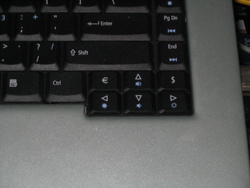
Apparently, Acer laptop keyboards are the worst:
![]()
(note the € and $ keys...)
Someone complained to me about my RSS feed being broken.. for some reason his reader doesn't allow <author> fields with email-addresses between < and >. I've changed it to emailaddress (Name), but I feel like this is a bug in his RSS parser (I escaped the <s and >s for a reason).
Or did I just land in double-escape hell and should I use crazy stuff like &lt;, even though Feed Validator thinks my feed is valid?
Update: It seems that Planet Ubuntu is un-escaping, but then does not re-escape when it writes its own feed. Also, it doesn't seem to pick up the change I made to my <author> fields.
Because I haven't received the shiny new Ubuntu-test-laptop yet, I've decided to start creating installation reports on my old laptop: a MyNote C730 from late 200. It has a 600MHz Pentium III Coppermine, and a whopping 192M of memory, and it has never worked completely out of the box.
I was a bit surprised by how well the hoary install went (I had previously only installed warty, and upgraded from there), and almost everything worked immediately, even hibernation (which used to cycle a lot: it re-hibernated every time it came out of hibernation, very annoying :)). There were still a few thing that didn't quite work as expected, like IrDA and the sleep button, but that's not a big issue.
Installing breezy is almost the same as installing hoary, except it offers to reize your current partition and create new partitions in the reclaimed space (cool), or installation using LVM (even cooler). Installation of packages after the first reboot looks a lot nicer to. No long lists of dpkg output, but a nice progress bar, so you know how much coffee you need to make before you're able to use the system.
The brand-new breezy install still has some problems too, the most obvious one being thet X doesn't start (but that's supposed to be a temporary problem). I'm going to try again tomorrow. Stay tuned.
You can find the results on the LaptopTestingTeam/AsusL7300G page in the Ubuntu wiki.
Op dit werk is een Creative Commons Licentie van toepassing.